
Buyer Guide
How to Use a CO2 Laser Cutting Machine?
A CO2 laser cutting machine is widely used for cutting and engraving nonmetallic materials such as wood, acrylic, paper, leather, fabric, and selected plastics. By focusing a high-energy laser beam onto a material surface, the machine can create detailed patterns, precise cuts, and customized designs with minimal physical contact.
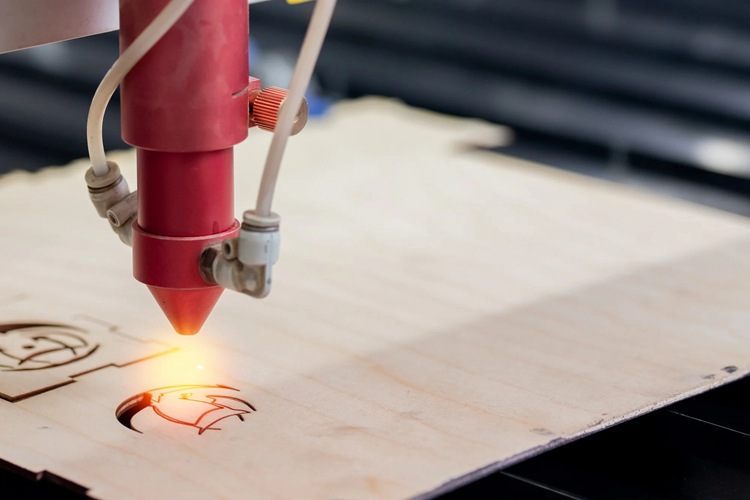
However, achieving consistent results requires more than simply loading a design and pressing the start button. Operators need to understand the machine components, prepare the material, configure the laser parameters, focus the beam, and follow appropriate safety procedures.
This guide explains how to use a CO2 laser cutting machine step by step, including material preparation, software setup, cutting parameter adjustment, maintenance, and troubleshooting.
I. Understanding the Working Principle of CO2 Laser Cutting Machines
Before operating the machine, it is important to understand the basic working principle.
A CO2 laser cutting machine uses a sealed glass laser tube filled with carbon dioxide gas to generate an infrared laser beam. The laser beam is transmitted through a system of mirrors and focused through a lens onto the material surface. The concentrated energy heats the material rapidly, causing it to melt, burn, or vaporize, resulting in precise cutting or engraving.
Typical specifications for industrial-grade CO2 laser cutting machines include:
Laser power: 40W–600W
Common working area: 400mm × 400mm-1500mm × 3000mm
Engraving speed: Up to 60,000 mm/min
Cutting speed: Up to 10,000 mm/min
Supported file formats: JPG, JPEG, PLT, DST, PLT, BMP, DXF, AI
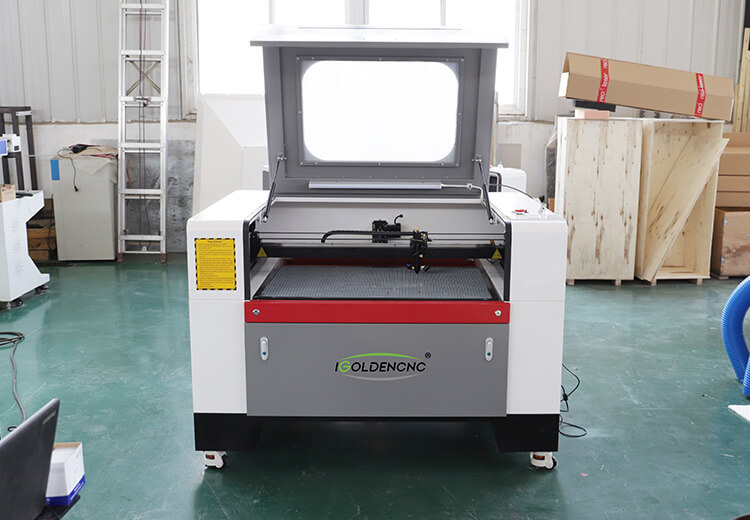
CO2 laser cutters are primarily used for processing non-metallic materials such as:
- Wood and plywood
- Acrylic and plexiglass
- Leather and textiles
- Rubber sheets
- Paper and cardboard
- Medium-density fiberboard (MDF)
Due to the flexibility and cost-effectiveness of the 1390 CO2 laser cutter, it is widely adopted in small-scale industrial production lines.
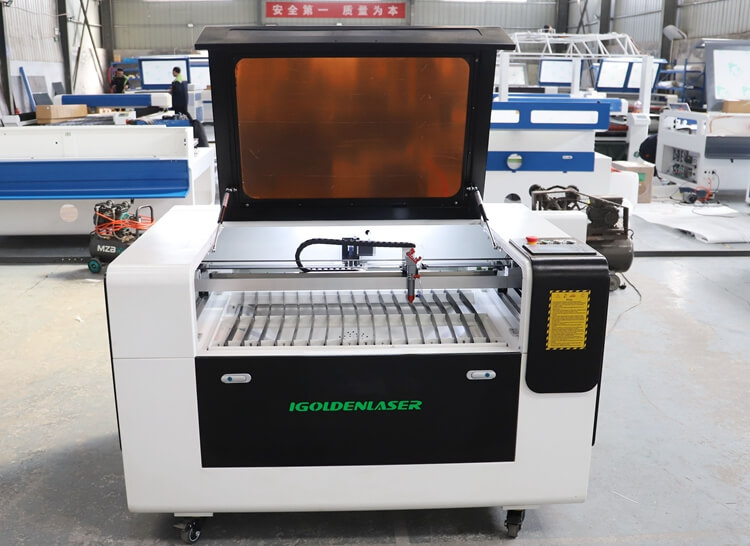
Understand the Main Components of a CO2 Laser Cutting Machine
Before operating a CO2 laser cutter, become familiar with its main components.
- CO2 laser tube: Generates the laser beam used for cutting and engraving.
- Laser mirrors: Direct the beam through the optical path toward the cutting head.
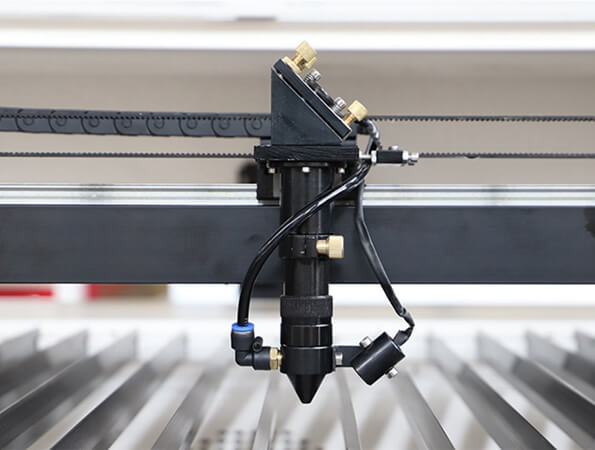
- Focusing lens: Concentrates the beam into a small spot to increase energy density.
- Laser cutting head: Directs the focused beam toward the material.
- Worktable: Supports the material during cutting and engraving.
- Motion system: Moves the laser head or worktable according to the programmed design.
- Controller: Interprets the cutting file and manages motion, laser output, and other settings.
- Cooling system: Keeps the laser tube within its required operating temperature range.
- Exhaust and air-assist systems: Remove smoke and debris and help reduce scorching and flare-ups.
Different CO2 laser machines have different power ratings, work areas, controllers, and accessories. Always follow the instructions for your specific model.
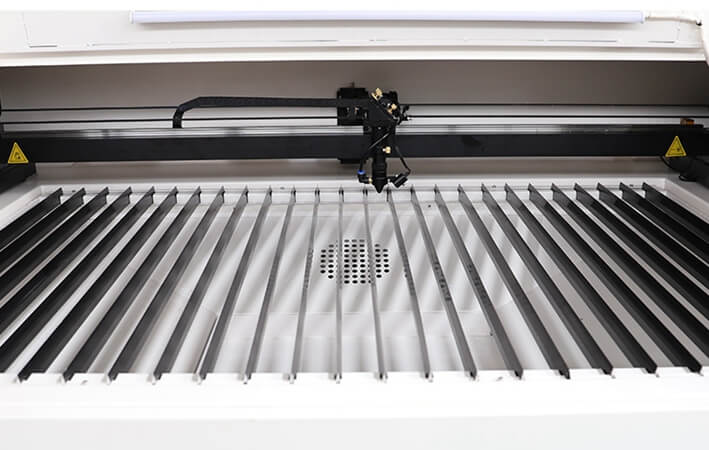
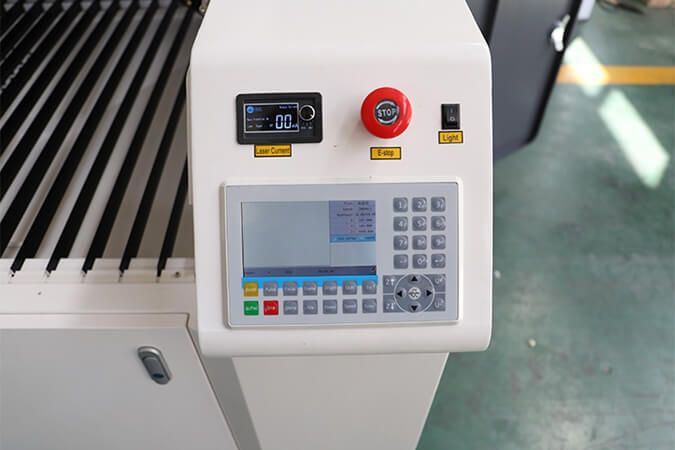
Laser Control System
The control system is the core component of a CO2 laser cutting machine, responsible for managing all machine operations including motion control, laser power output, speed adjustment, and cutting path. A high-quality laser control system ensures the machine can process complex patterns with high precision and maintain stable performance during extended operation.
Industrial CO2 laser cutters are typically equipped with advanced digital controllers, such as the RUIDA control system. This system supports USB transmission, offline operation, and compatibility with mainstream design software including CorelDRAW, AutoCAD, and RDWorks. Operators can easily configure parameters like cutting speed, laser power, and work area via the control panel, making it suitable for both beginners and professional users.
A reliable laser control system for CO2 laser cutter not only enhances cutting precision but also reduces operational errors and boosts overall productivity, which is particularly crucial for commercial and industrial laser cutting applications.
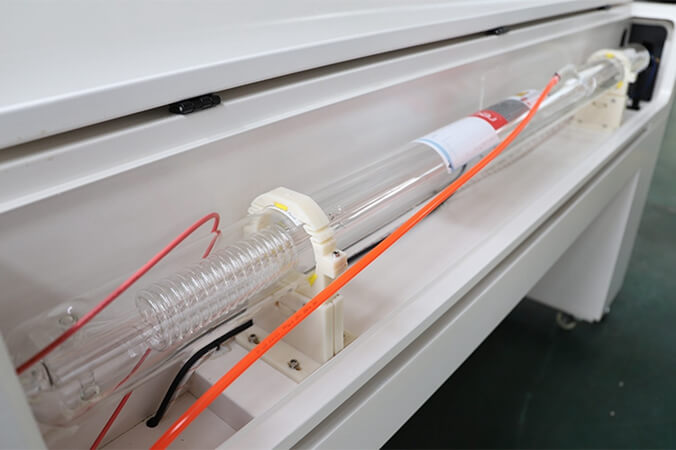
CO2 Laser Tube
The CO2 laser tube is the core component that generates the laser beam used for cutting and engraving. In a CO2 laser cutting machine, the laser tube converts electrical energy into a high-energy laser beam with a wavelength of 10.6 μm, which is highly suitable for non-metal materials.
Industrial machines are commonly equipped with well-known laser tube brands such as RECI or YongLi, providing stable output power and long service life. Different power levels, such as 80W, 100W, 130W, or 150W, allow the machine to process different material thicknesses. Lower power is suitable for engraving and thin materials, while higher power is required for cutting thick acrylic or wood boards.
A high-quality CO2 laser tube for laser cutter ensures stable performance, consistent cutting results, and longer operating time.
How to Operate a CO2 Laser Cutting Machine
After installation, follow these steps to start up the CO2 laser cutting machine:
1. Power on the machine in the correct sequence
Start the equipment in the following order:
(1) Water chiller
(2) Air compressor
(3) Exhaust fan
(4) Laser machine
This ensures the cooling and ventilation systems are operational before the laser begins operation.
2. Install and launch the laser software
Most machines use RDWorks V8 control software.
System requirements:
- Windows XP or later
- CPU 586 or higher
- At least 1GB of RAM
Install the software, then connect the computer to the machine using a USB cable.
3. Import design files and configure parameters
Design files can be created using the following software:
- CorelDRAW
- AutoCAD
- Adobe Illustrator
Common supported formats include: DXF, AI, BMP, JPG, PLT.
Transfer design files to the laser controller via USB.
Configure parameters such as:
- Laser power
- Cutting speed
- Engraving speed
- Layer settings
4. Adjusting Laser Focus
Proper focusing ensures powerful cutting performance.
Steps:
(1) Place the material on the worktable.
(2) Adjust the table height.
(3) Ensure the focal point is precisely on the material surface.
Improper focusing will reduce cutting quality.
5. Begin Cutting
Once everything is ready:
- Position the material in place.
- Use the selection tool to preview the cutting area.
- Start the process.
Continuously monitor the cutting process.
Common CO2 Laser Cutting Problems and Solutions
| Problem | Possible Causes | Recommended Checks |
|---|---|---|
| Material does not cut through | Speed too high, power too low, incorrect focus, dirty optics, weak laser output | Verify focus, optics, settings, and laser system condition |
| Burnt or dark edges | Excessive energy, slow speed, inadequate air assist, unsuitable material | Test adjusted parameters and check air assist |
| Uneven cutting depth | Material thickness variation, focus problems, misalignment, inconsistent motion | Check the workpiece, focus, optics, and motion system |
| Excessive smoke | Poor extraction, unsuitable material, blocked exhaust path | Stop if unsafe; inspect ventilation and material compatibility |
| Rough or inconsistent edges | Incorrect parameters, contaminated optics, poor-quality material | Inspect optics and repeat a controlled test |
| Engraving looks blurry | Incorrect focus, excessive speed, unsuitable image settings | Check focus, resolution, and engraving parameters |
| Laser output appears weak | Tube aging, optical contamination, cooling issues, electrical or control faults | Follow the manufacturer’s diagnostic procedure |
Do not open high-voltage compartments or adjust laser power supplies unless you are qualified and authorized to do so. CO2 laser power supplies can retain dangerous electrical energy.
How to Choose the Right CO2 Laser Cutting Machine
When purchasing a CO2 laser cutting machine, consider the following factors.
Laser power: Choose a configuration suited to the materials and thicknesses you process. Higher power does not automatically produce better results for every application.
Working area: Make sure the table accommodates your typical sheet size and production layout.
Motion accuracy: Consider the machine structure, drive system, controller, and the precision required by your products.
Cooling and extraction: Confirm that the machine includes, or can support, appropriately sized cooling and fume-extraction systems.
Software compatibility: Verify that the machine accepts your design formats and supports the workflow used by your operators.
Service and spare parts: Evaluate technical support, training, optical components, and replacement-part availability.
For manufacturers processing wood, acrylic, leather, fabric, and other compatible nonmetallic materials, a properly configured CO2 laser cutter can support both customized production and repeatable batch work.
CO2 Laser Cutting Machine Maintenance
Regular maintenance helps maintain cutting quality and extend equipment life.
Daily Maintenance
- Remove debris from the worktable after use.
- Check the exhaust and air-assist systems.
- Inspect the cooling system and look for leaks.
- Check for unusual noises, alarms, or visible damage.
- Keep combustible waste away from the laser work area.
Optical System Maintenance
Mirrors and focusing lenses can accumulate smoke residue, reducing energy transmission and cutting performance. Inspect and clean optical components only according to the manufacturer’s approved procedure, using compatible materials and appropriate precautions.
Cooling System Maintenance
Use the specified coolant and maintain the recommended operating temperature. Check coolant level, flow, and alarms before processing. Never operate the laser tube outside its required cooling conditions.
Mechanical System Maintenance
Inspect rails, belts, bearings, and other motion components according to the maintenance schedule. Keep the worktable and motion path clean, and lubricate components only where specified.
Exhaust and Air Assist
Check filters, ducts, fans, and air lines regularly. Poor extraction can cause smoke accumulation, contamination, and unsafe working conditions.
Safety Guidelines for Operating CO₂ Laser Cutting Machines
Due to the high voltage and invisible laser beams involved in laser cutting machines, safety precautions are critical.
- Wear laser safety goggles during setup.
- Never touch high-voltage components.
- Keep flammable materials away from the machine.
- Ensure adequate ventilation.
- Don’t operate the machine unattended.
Important Safety Rules for CO2 Laser Cutting
Laser cutting involves optical, electrical, thermal, and fume-related hazards. Follow the machine manual and applicable workplace safety requirements.
- Never leave the machine unattended while the laser is active.
- Never bypass door interlocks, protective covers, or emergency stops.
- Use the machine’s approved enclosure and wavelength-appropriate protection.
- Maintain effective exhaust ventilation.
- Confirm material compatibility before cutting.
- Keep suitable fire-response equipment available and train operators in its use.
- Keep combustible materials and accumulated scraps away from the cutting area.
- Do not operate the laser with inadequate cooling.
- Disconnect power and follow lockout procedures before authorized maintenance.
- Never look directly into the laser beam or its specular reflections.
If flames persist or the situation becomes unsafe, follow the machine’s emergency shutdown and workplace fire-response procedures. Do not open an enclosure if doing so could expose you to a laser beam or intensify a fire.

IGOLDEN BLOG
Thank you for visiting the iGOLDENCNC website. iGOLDENCNC is the professional supplier of CNC machinery application solution, within the business of producing and selling CNC machinery and accessories.